
Related resources
Storybook:
- Awaiting delivery
AEM components:
- Awaiting delivery
AEM status:
Demo
Variants and Properties
Variants and Properties
The Settings component has a range of configuration options to allow it to adapt to different use-cases.
| Property name | Property type | Description | Values | Default value |
|---|---|---|---|---|
| Heading style | Variants | Heading is default Heading 3 styles and H3 semantic level. Heading style and semantic level should be independently configurable from H2 - H5 | Headng styles and levels 2 through 5 | Heading 3 style H3 heading level |
| Group toggle | Boolean | Includes the group toggle in the Header of the component when set to "True" | True False | True |
| Number of rows | Authorable/configurable | Setting group can include 1 to many Settings Rows without constraint | 1 to [x] | 4 Settings Rows |
| Row settings 2 and 3 | Boolean | A row can include up to 3 setting items (toggles) with a toggle group | True False | Setting 2 = True Setting 3 = False |
Usage
Overview
Settings can be used as a single list, with an optional group toggle to turn on or off all settings, or you can use a section of multiple groups representing multiple categories of settings.
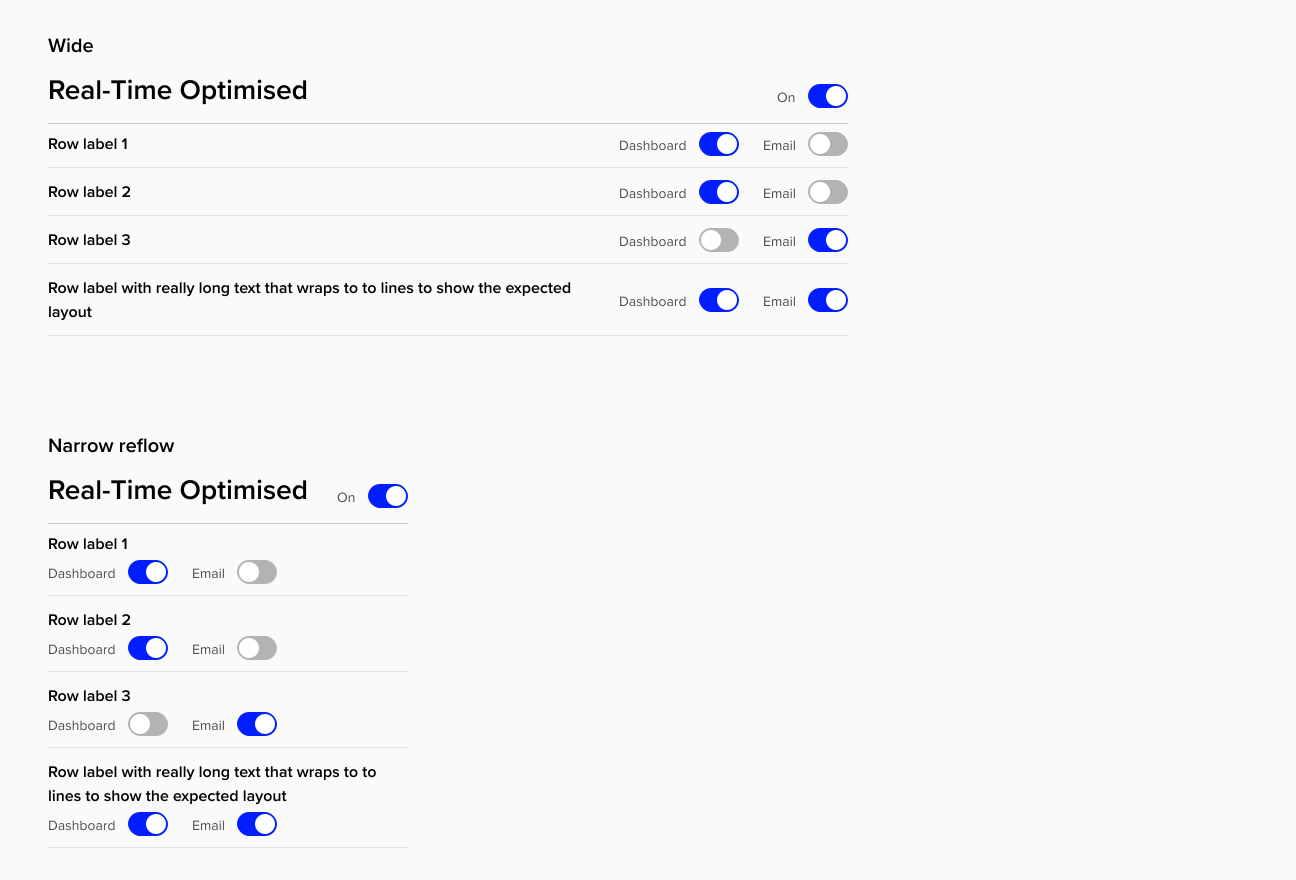
There is a max-width on Settings Groups to avoid disconnect between row labels and the setting controls (toggles). In general this component will work best in sections that are less than full-width. Note that the toggle controls are set to wrap at smaller breakpoints and that sticking to consistent label lengths with a Settings Group will retain better uniformity of responsiveness.
General Do’s

Use the same labels for toggles in a column
Use the same toggle headings for "On" and "Off" unless using "On" and "Off" as the labels
Keep row labels and toggle labels as concise as possible to convey meaning
General Don’ts

Use this component to span the full-width of the page at desktop
Don't override default interactions within the component
Related components
Sub-components
| Name of component | Type | Description |
|---|---|---|
| Reusable sub-component | Toggle switch is a standalone component used with Settings Group and with a range of states representing different states |
Responsive behaviour
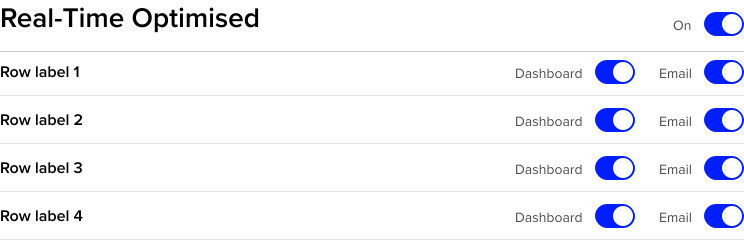
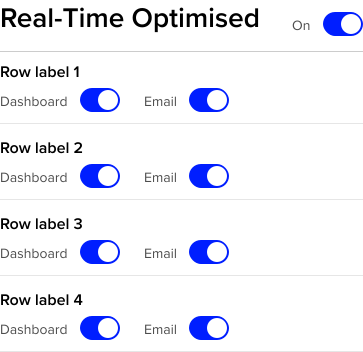
Rows within a Settings Group reflow at smaller breakpoints based on a minimum width Row label elements. Based on this structure and behavior, it is recommended to use consistent toggle labels within an individual column of toggles to support uniform responsiveness of rows with a group.
Examples group 1
Standard layout
Reflow at smaller section and breakpoint widths
Accessibility
Accessibility Overview
| Function | Description |
|---|---|
| Role | Role is "switch" |
| Accessible label | The switch action is contextual to the associated label and that visible label should be referenced by aria-labelledby on the switch element |
| On state | When on, the switch has state "aria-checked" set to "True" |
| Off state | When off, the switch has state "aria-checked" set to "False" |
| Group toggle label | Uses arialabelledby group switch and is associated with the Group Heading element |
| Row label | Toggles in a row will reference the row label using aria-described by to provide additional descriptive context |
| Reading order | Reading order is standard, left to right then down and left to right, in all layouts |
| Heading levels | Headings inside the Group Header should be independently configurable as Heading style Heading 2 to Heading 5 and semantic heading level H2-H5. Default setting should be Heading 3 style and H2 level. |